![[NetBSD Logo]](/tnf/resource/NetBSD-headerlogo.png)

Google Summer of Code 2026 Reports: Port the Enlightenment desktop environment to NetBSD
This report was written by Dimitris Gounaridis as part of Google Summer of Code 2026.
Introduction
Enlightenment desktop is a low on resources desktop environment without sacrificing on visuals. NetBSD support for this BSD-licensed desktop has been left a few years behind. The aim of this project is to port the newest version of the desktop to pkgsrc and commit upstream portability fixes when necessary to ease future versions updates for NetBSD.
Acknowledgments
Many thanks to my mentors Leonardo Taccari (leot) and Nia Alarie (nia) for their support, assistance and understanding during the first period of the project.
Also many thanks to Carsten Haitzler (raster) from Enlightenment project as well as Robert Bagdan (kikadf) and Matthew Danielson for their previous work on Enlightenment in pkgsrc-wip.
Development
For development I used Ubuntu 26.04 running a QEMU virtual machine installation of netbsd-11.0 and a laptop with Intel N3540 (Bay Trail) running a bare metal installation of netbsd-11.0.
Enlightenment already does provide upstream support for FreeBSD and OpenBSD. So the ideal starting point would be to follow the build instructions for these platforms as found in Enlightenment's documentation
Thankfully all the required build dependencies are already available in pkgsrc (thanks NetBSD).
Install them with:
pkgin install bullet check fribidi gettext-tools giflib git gstreamer1 gst-plugins1-base gst-plugins1-good gst-plugins1-bad gst-plugins1-ugly gst-plugins1-libav jpeg libraw librsvg libexif libtool libspectre lua52 MesaLib pkg-config poppler poppler-cpp pulseaudio python314 scim
With a bit of experimentation and patience in resolving build errors, one can figure out the necessary commands to compile under NetBSD:
export PKG_CONFIG_PATH="/usr/pkg/lib/pkgconfig:/usr/X11R7/lib/pkconfig:/usr/local/lib/pkgconfig:$PKG_CONFIG_PATH"
export CFLAGS="-I/usr/pkg/include -I/usr/include -I/usr/X11R7/include -I/usr/local/include:$CFLAGS"
export LDFLAGS="-L/usr/lib -L/usr/X11R7/lib -L/usr/pkg/lib -L/usr/pkg/lib/pulseaudio -L/usr/local/lib:$LDFLAGS"
Enlightenment Foundation Libraries (EFL)
meson build --prefix=/usr/pkg -Dsystemd=false -Dv4l2=false -Deeze=false -Dinput=false
ninja -C build
su
ninja -C build install
Surprisingly EFL did not require any custom patching in order to build under NetBSD.
Still, a pull request has already been merged upstream (thanks raster) to allow for similar behavior like the rest of the BSDs.
Enlightenment Window Manager
meson build --prefix=/usr/pkg -Dsystemd=false -Dbluez5=false -Ddevice-udev=false -Delput=false -Dgesture-recognition=false
ninja -C build
su
ninja -C build install
The window manager part of the desktop needed a bit more patching to build under NetBSD.
If you are interested in the necessary changes you can track the changes in this pull request (needs an account to view at the time of writing).
Results
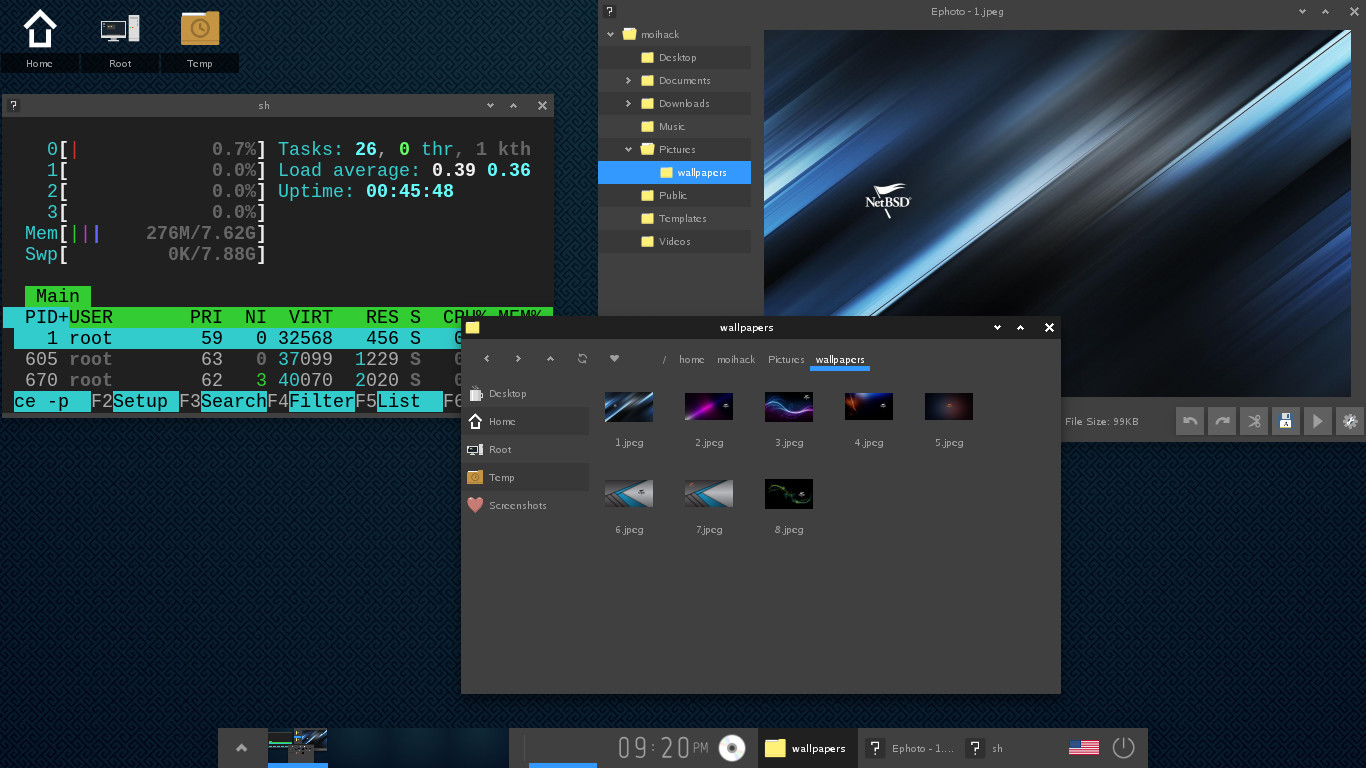
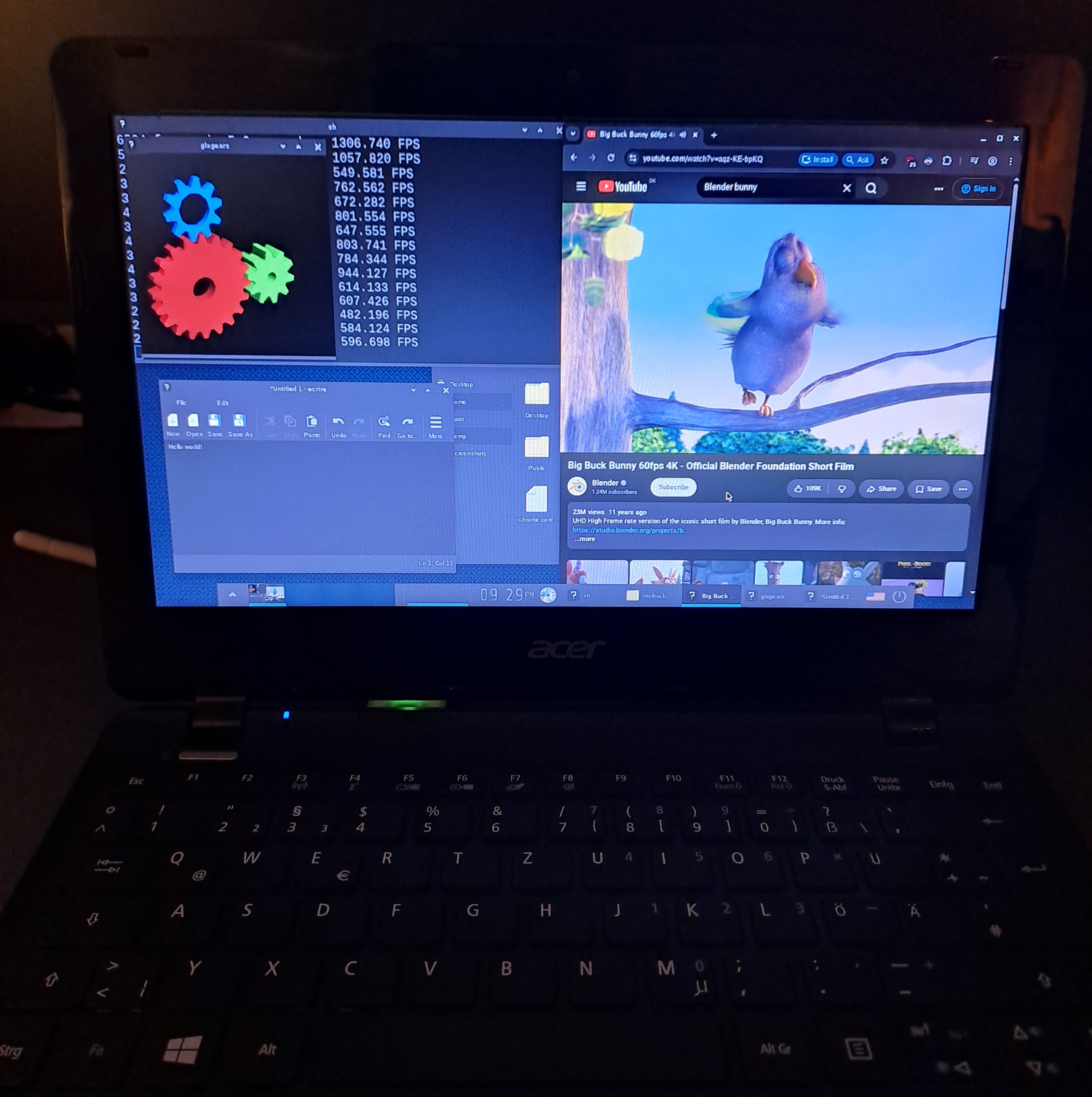
If you followed along this progress report you should be greeted by a default Enlightenment desktop under NetBSD.
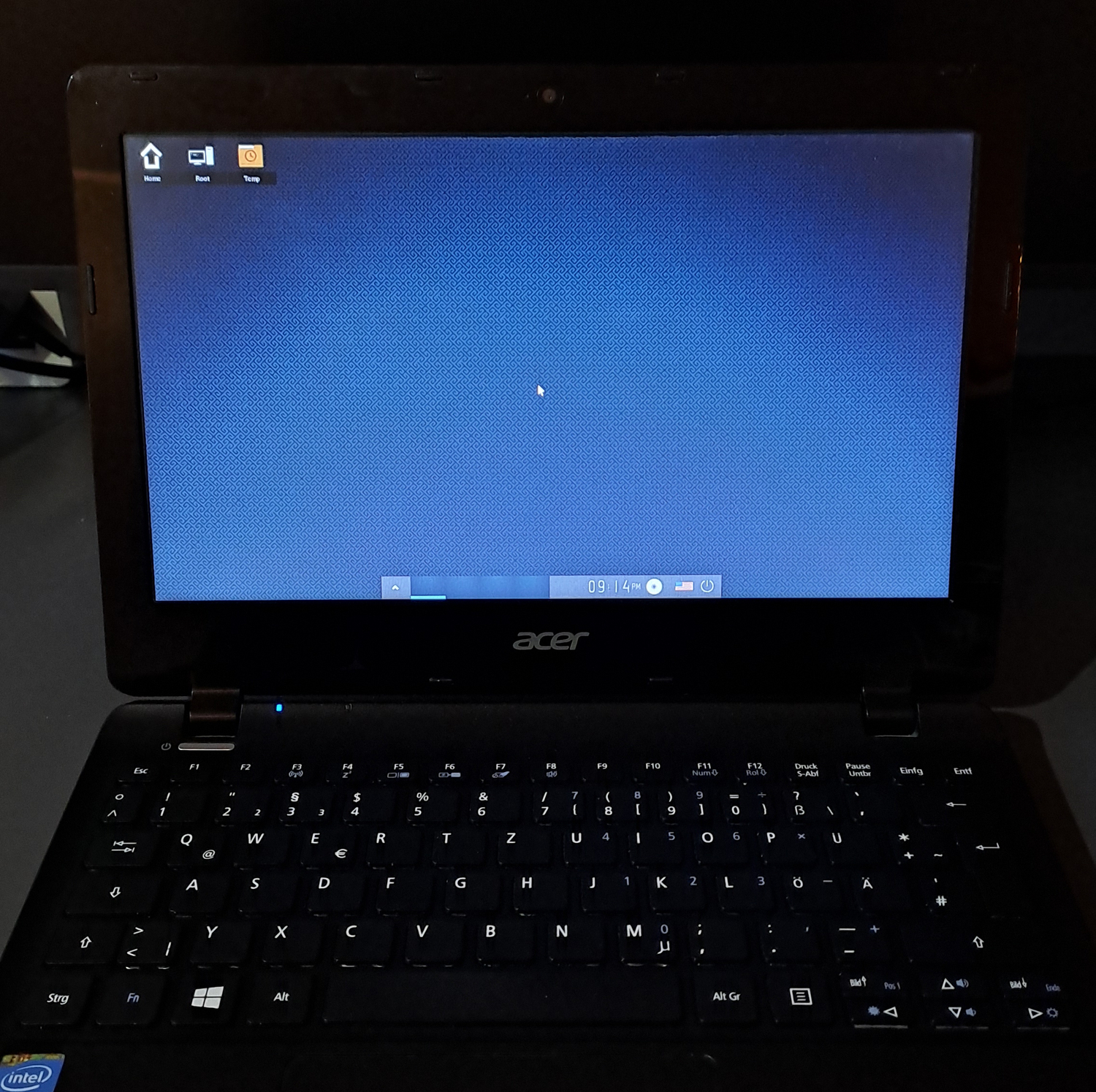
You can now use your new cool Enlightenment desktop environment. Enjoy!
Current issues
Currently there are some issues that need ironing out but these will have to wait for the second progress report. These are:
- e-mixer panel applet leads to glitching desktop when OpenGL acceleration is turned on for the compositor (possible Intel Xorg driver issue)
- similar to above, chromium, Firefox and even terminology can randomly glitch out the display when playing audio (again probably related to my Intel GPU as it also happens under IceWM)
- efreet cache error pop up on desktop load - leads to app icons missing in menu as well
- shutdown is triggering a reboot instead
- sometimes Firefox/chromium do not properly maximize within screen region (close button outside of screen)
What I learned
This project has been a great opportunity to work with a variety of technologies I haven't messed around in the past.
I learned a lot about NetBSD, its packaging (pkgsrc) and how the system differs from Linux which I am more familiar with. I also had a chance to use and mess a lot with QEMU, virt-manager and meson during my tests.
Next Steps
- Finish upstreaming window manager changes
- Port more Enlightenment software to NetBSD (Evisum (system monitor), Edi (IDE))
- Iron out remaining issues
- Update pkgsrc-wip Enlightenment packages with latest work
Posted by Jay on August 09, 2026 at 07:47 AM UTC #
Posted by Zach on August 12, 2026 at 05:35 PM UTC #
Posted by rhtoras on August 27, 2026 at 10:11 AM UTC #